Click Pages in the left sidebar. This will show the Pages screen with a list of all the pages you have in your site.
Click the Pages > All Pages in the left sidebar > Search for Variant B page that you want duplicate
After getting result hover over the page which you want to edit and you will see some option, In which Click on EA Duplicator.
Select on Edit -> Change your Page Title -> Click on Publish
Click on Edit with Elementor -> To edit your page
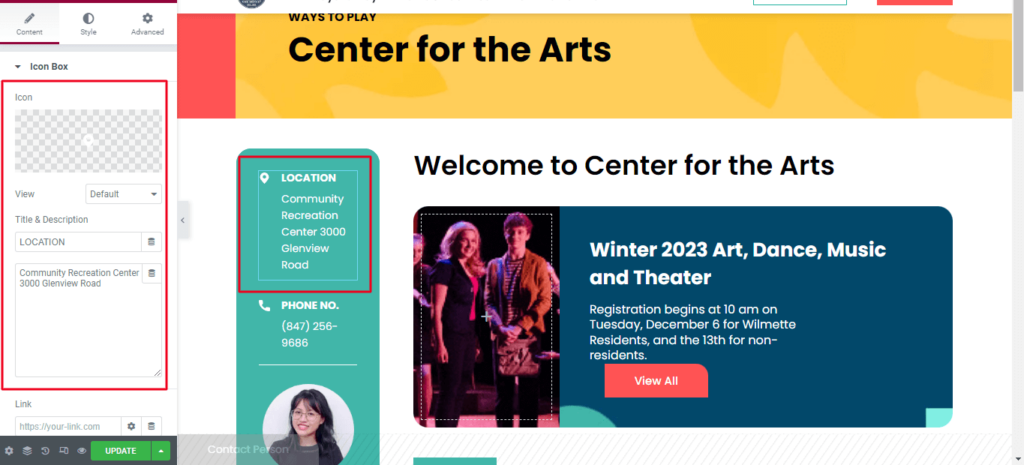
Click on that Element which you want to edit, The Sidebar will change. For Example : If you want to edit a contact person details -> Click on icon box that you want to edit -> make the changes you desire -> Click on Update button
How to Edit Accordion
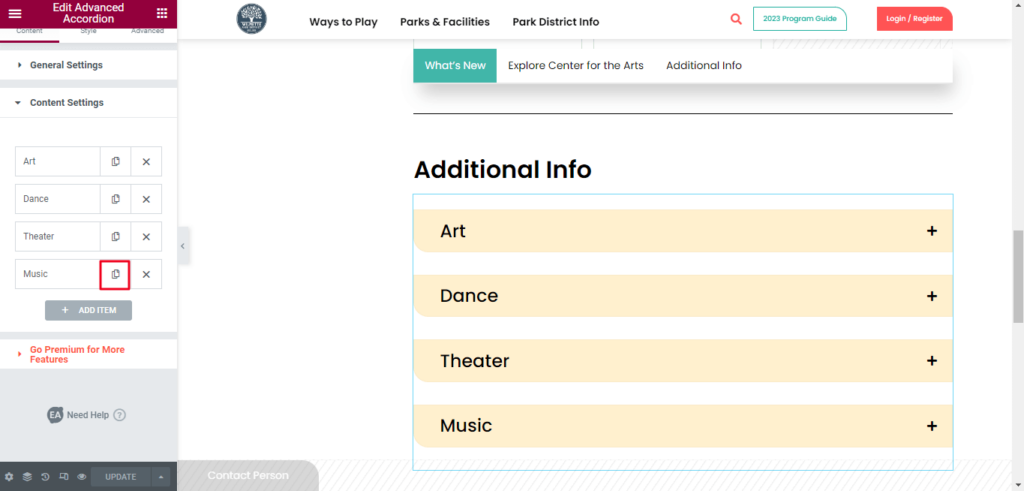
Click on Accordion -> On left Sidebar click on Content Setting. You will get accordion list that we have added on page.
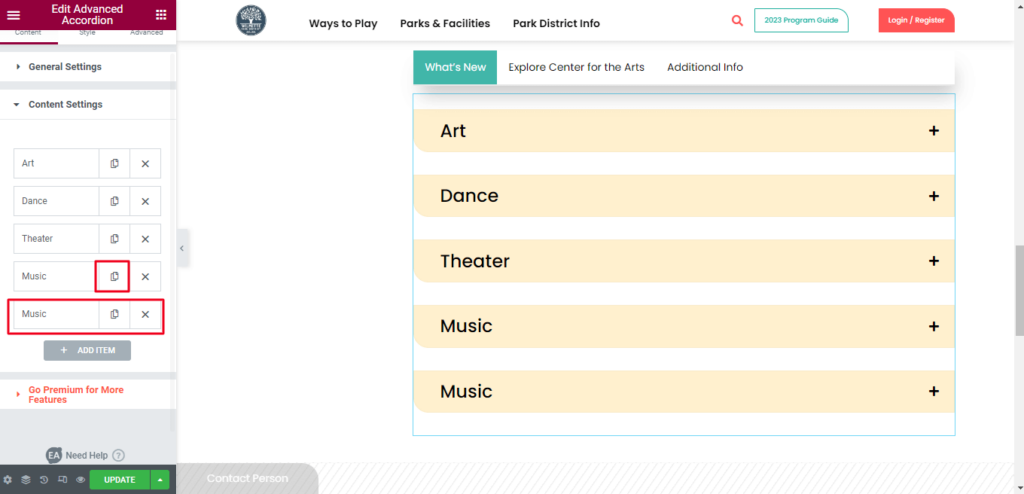
For Example : If you want to add content. Create a copy of existing by clicking on page icon.
You can see it will create a duplicate of that tab.
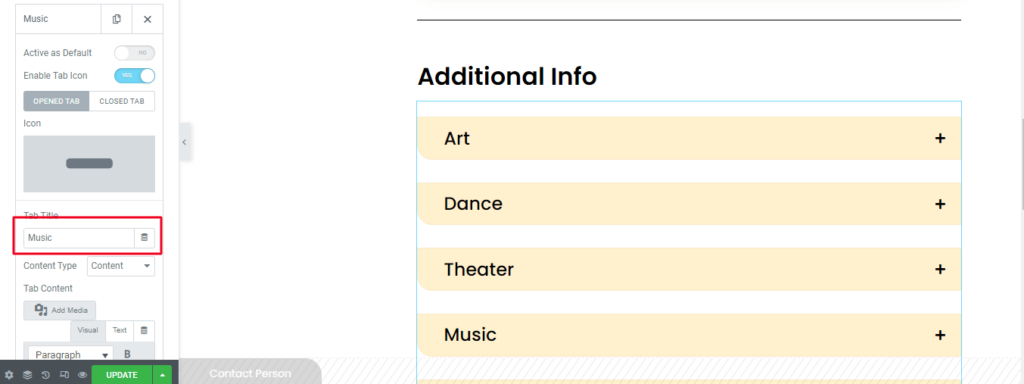
Click on the tab change your tab title
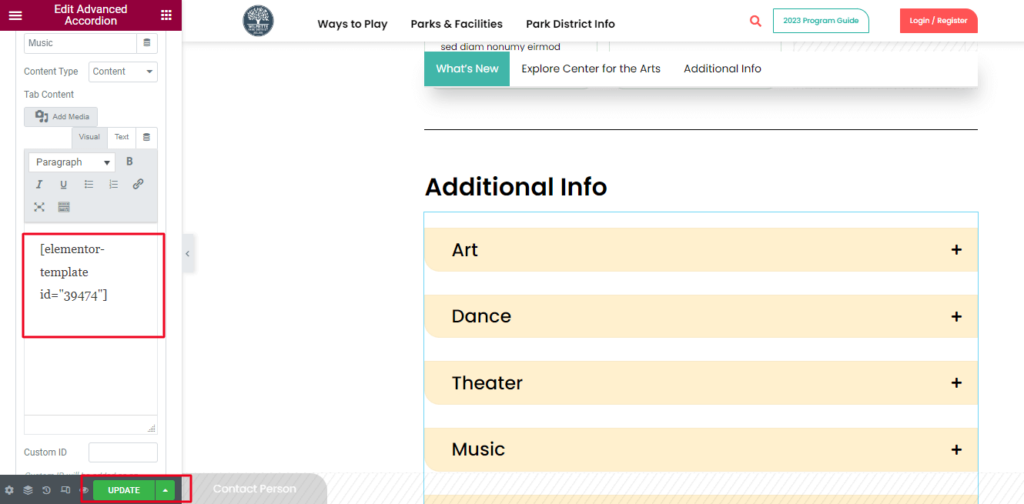
Add a shortcut of your template in tab content.
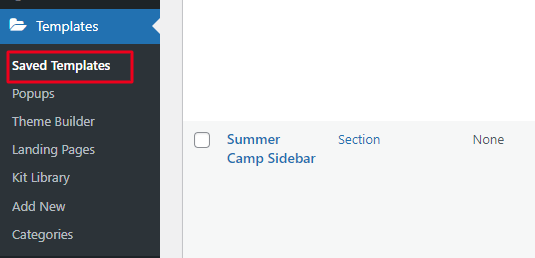
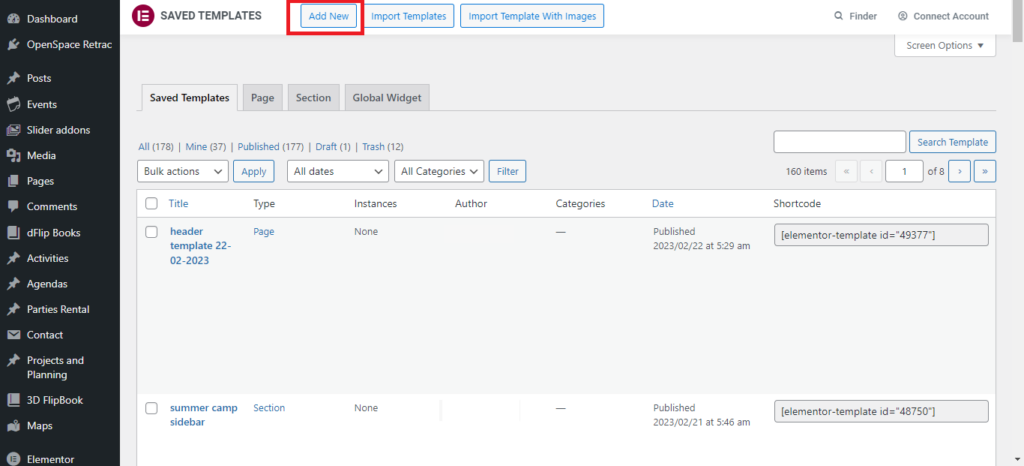
To create template : Go to Dashbord -> Click on the templates -> Click on Saved Template.
This will show the list of all the template you have in your site. -> You Can create a new template or Duplicate exist template and change the content accordingly and Update it.
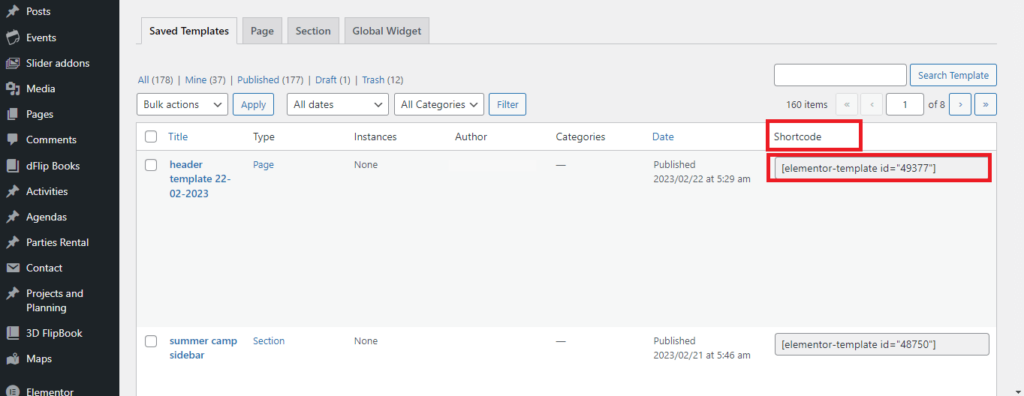
Copy shortcode in your tab content of accordion.
How to Insert a template on Page
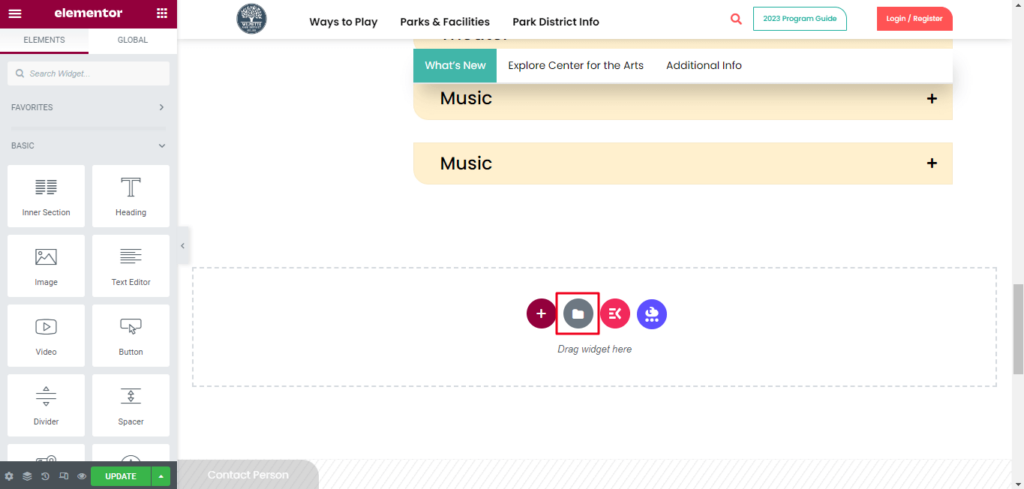
Click on Add template.
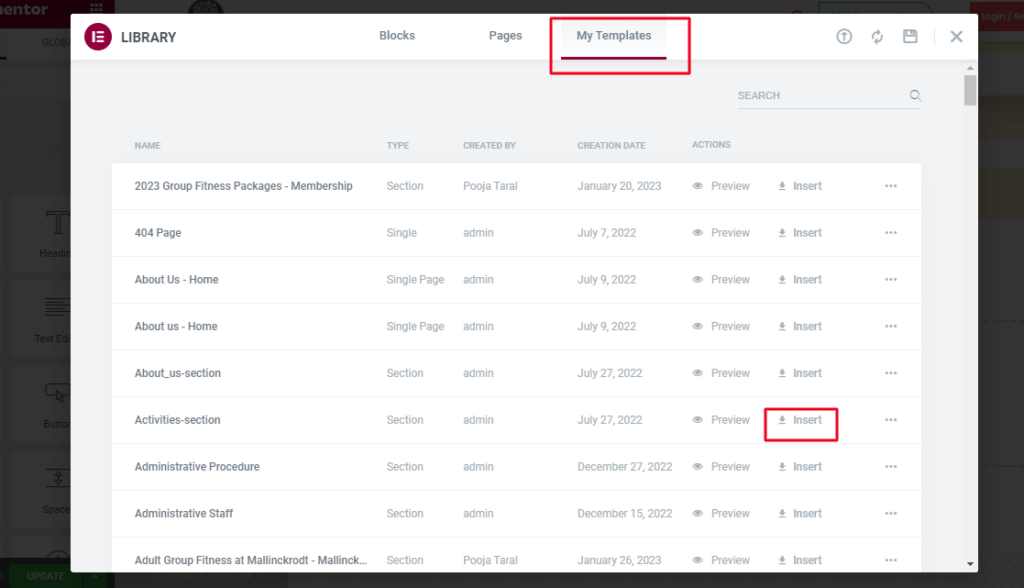
Click on My Templates -> Import a template which to want insert.
How to Delete Page
Select the Pages tab at the left side of the window > Hover over the page that you wish to delete, then click the Trash option.