Skip to content
Home
Contact Us
Search
Search
How to Edit Post
Home
/
How to Edit Post
Log in to the WordPress Administrator Dashboard.
Navigate to
Posts
->
All Posts
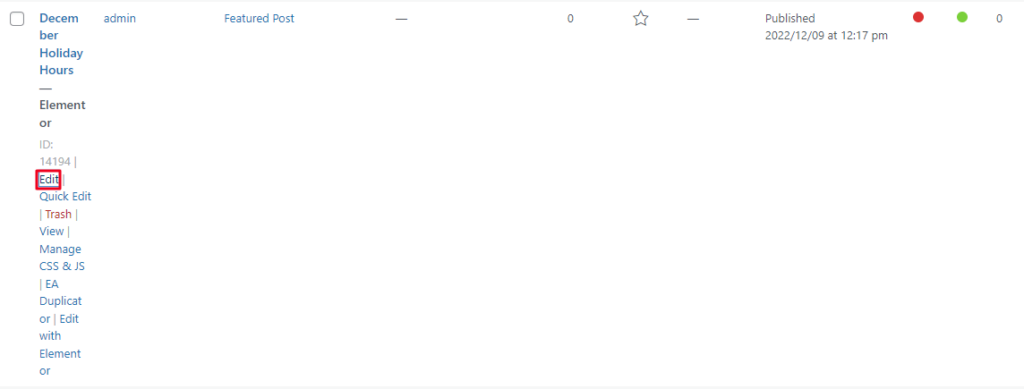
-> Hover over page which you want to edit Click on
Edit
option.
Make the desired changes using the Post Editor. You can Change title and Feature to your post.
Save your changes by clicking
Update
Click on
Edit with Elementor
to Edit Post Delete.
To Edit Post follow step as shown in
Add Post
.
Categories
Agendas & Minutes
(3)
Bulletin Board
(3)
Events
(2)
FlipBook
(2)
Guidelines
(1)
Home Page
(3)
Maps
(3)
Menu
(1)
Park District Info
(1)
Parties and Rental
(2)
Project and Planning
(3)
Uncategorized
(1)
User
(1)
Ways To Program
(2)
Scroll to Top