Skip to content
Home
Contact Us
Search
Search
How to delete post
Home
/
How to delete post
Navigate to
Posts
->
All Posts
-> Hover over page which you want to edit Click on
Trash
option.
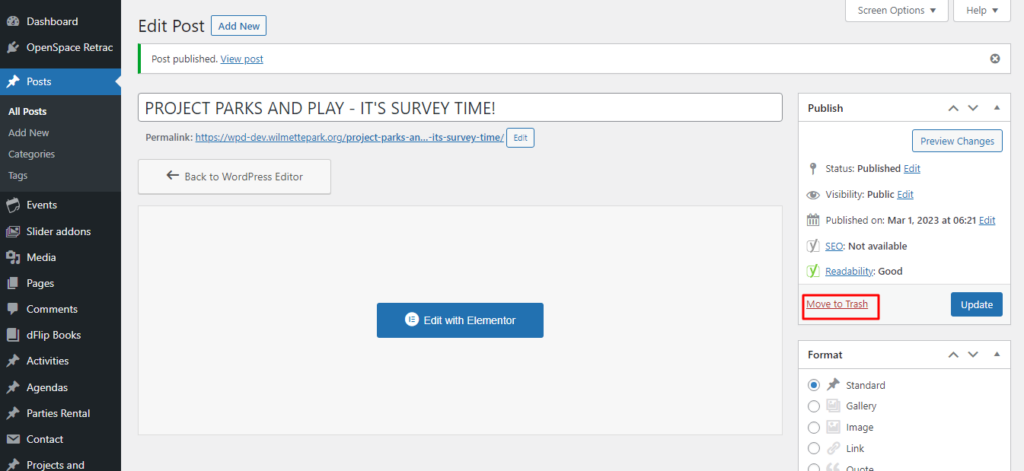
You can also Select edit and use
Move to trash
option for the same.
Categories
Agendas & Minutes
(3)
Bulletin Board
(3)
Events
(2)
FlipBook
(2)
Guidelines
(1)
Home Page
(3)
Maps
(3)
Menu
(1)
Park District Info
(1)
Parties and Rental
(2)
Project and Planning
(3)
Uncategorized
(1)
User
(1)
Ways To Program
(2)
Scroll to Top