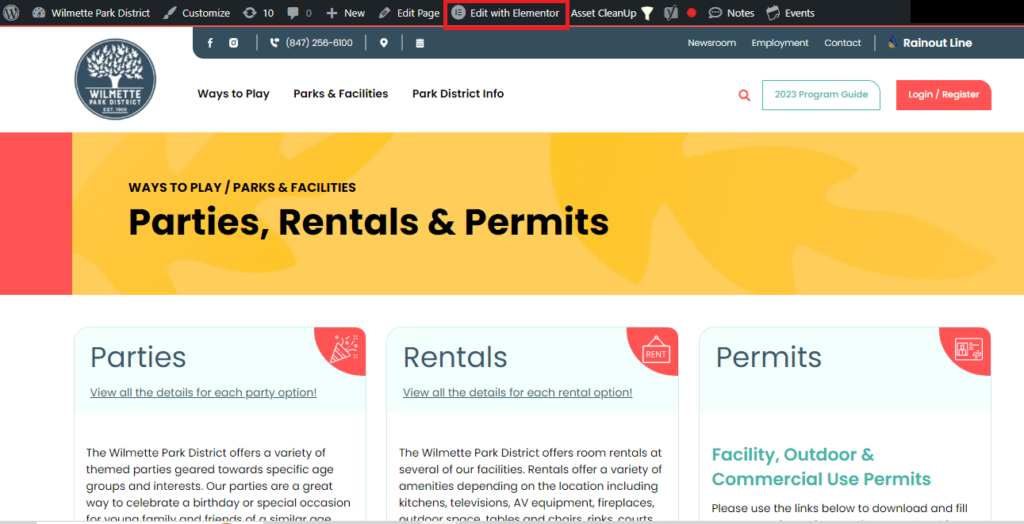
Navigate to the Pages-> Click All Pages -> Search Parties, Rentals & Permits -> Hover over the page Click on View.
It will Review your page -> On top you can see Edit with Elementor tab -> Simply Click on it to Edit page
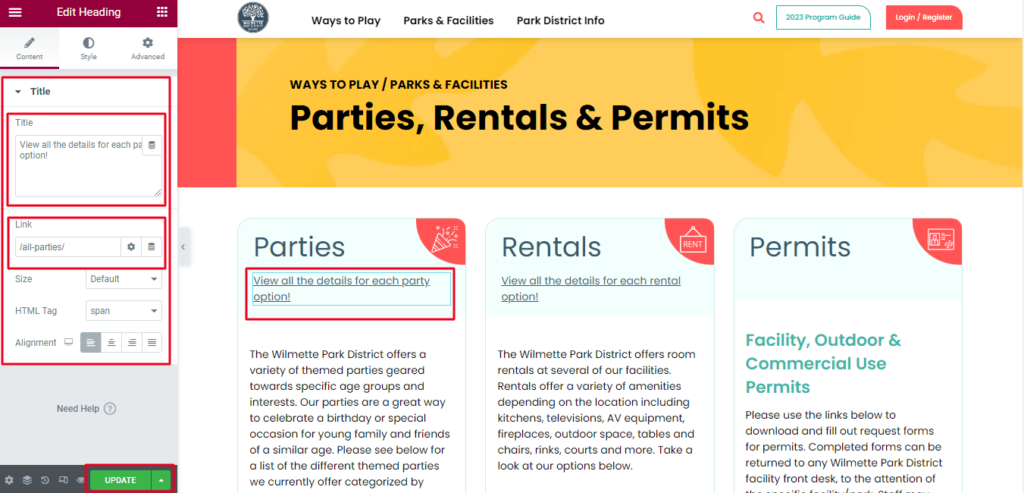
Click on element which you want edit. For Example : You want edit link of Parties Section -> Simply click on link -> On left side you can see Edit Heading -> Easily Edit Title and Added link on Link box.
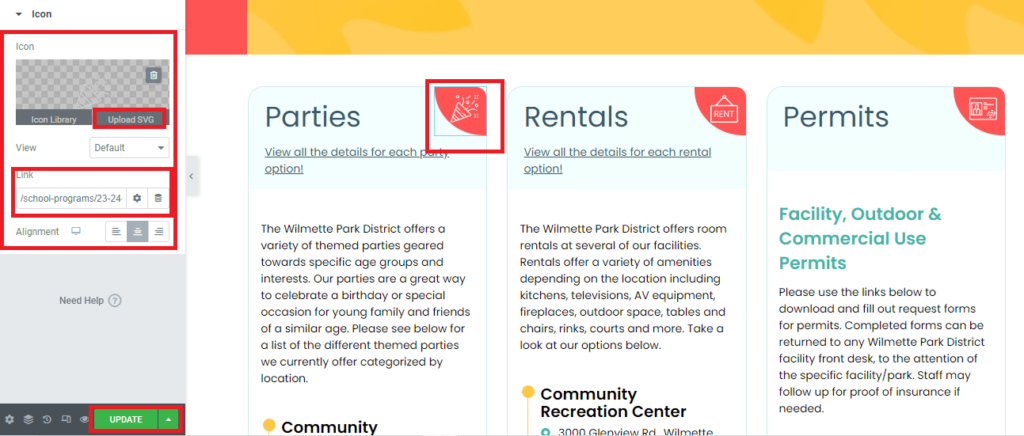
Similarly you can change icon by clicking on it -> Upload svg file or Select icon from library. After doing all the changes click on Update.