Skip to content
Home
Contact Us
Search
Search
Edit / Delete Map
Home
/
Edit / Delete Map
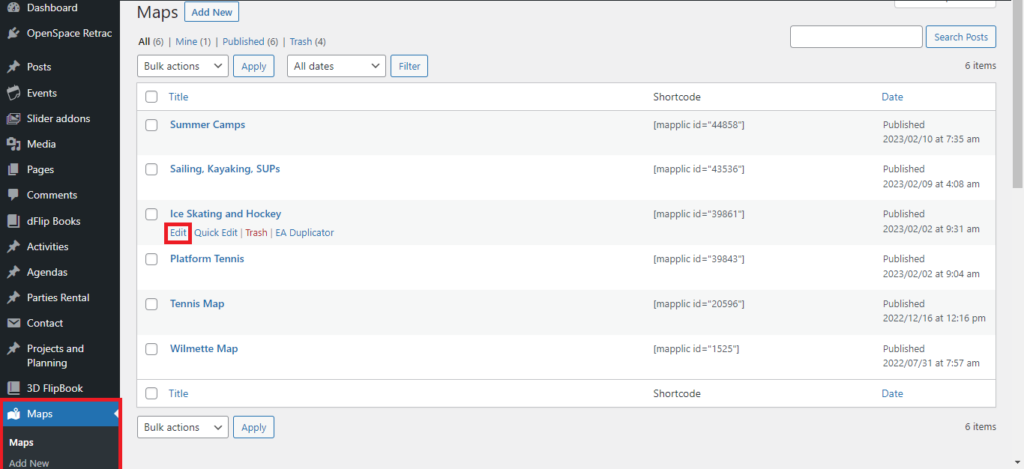
Click on the
Maps
on left sidebar -> You will get list of Map -> Hover on the map which you want to edit -> Click on
Edit
option.
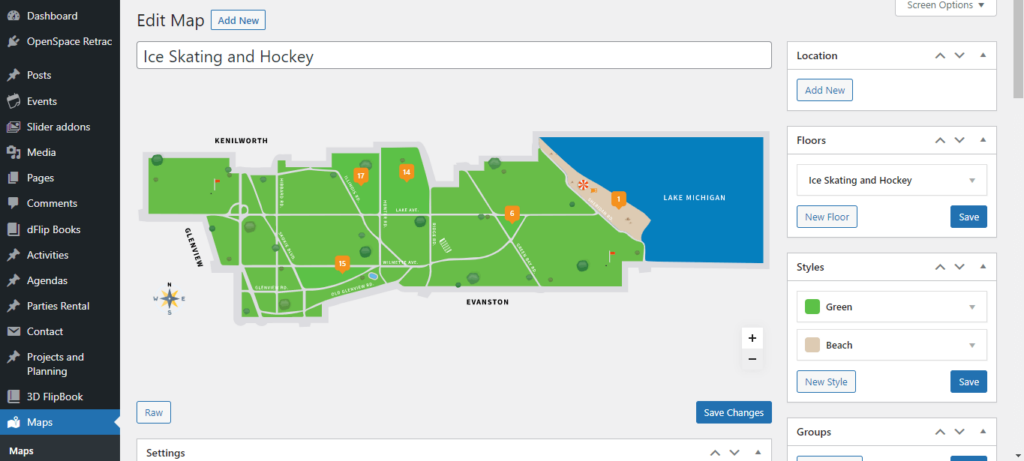
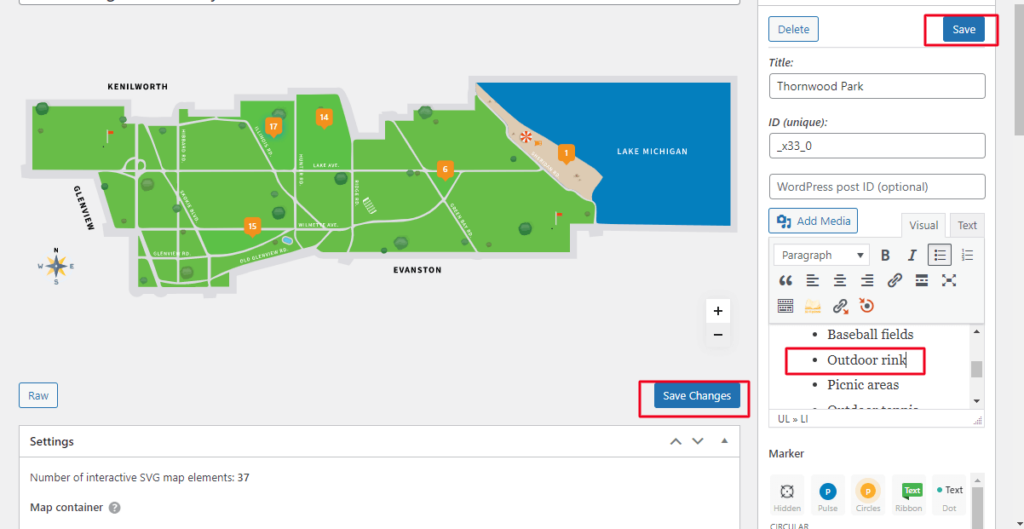
You can see below image when we click on edit option.
Click pin point which you want to edit -> Sidebar will change it will open pin point location.
For Example :
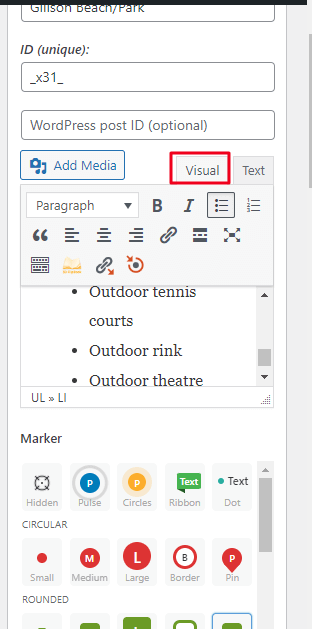
We want to edit 17 point detail -> Click on 17 point -> It will open a details of it -> Click on Visual
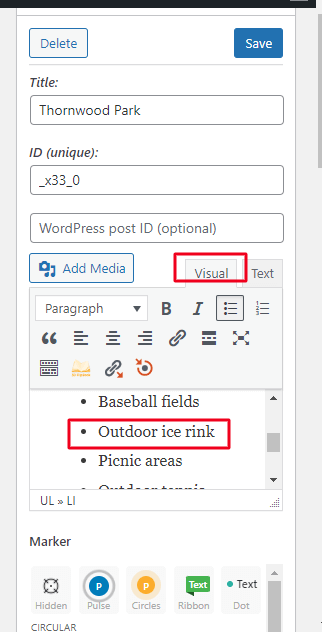
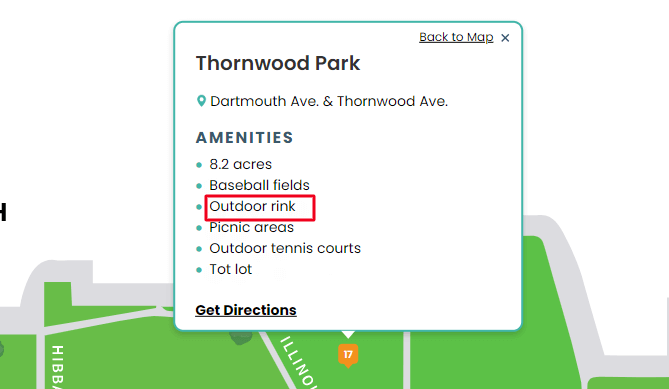
We want to add Outdoor Rink -> Click on it add a text -> Click on Save Button at top -> After doing all the changes click on Save Changes.
Review your map and check your Changes
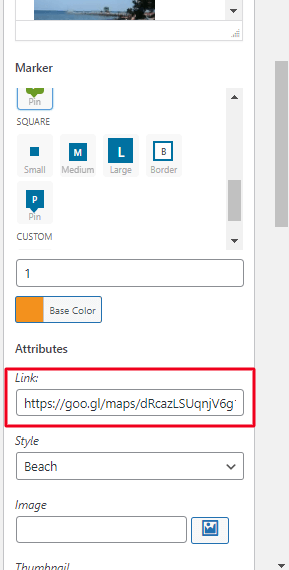
How to Change Direction on Map
Scroll of down the pin point location -> Add your direction link on the link box.
Categories
Agendas & Minutes
(3)
Bulletin Board
(3)
Events
(2)
FlipBook
(2)
Guidelines
(1)
Home Page
(3)
Maps
(3)
Menu
(1)
Park District Info
(1)
Parties and Rental
(2)
Project and Planning
(3)
Uncategorized
(1)
User
(1)
Ways To Program
(2)
Scroll to Top