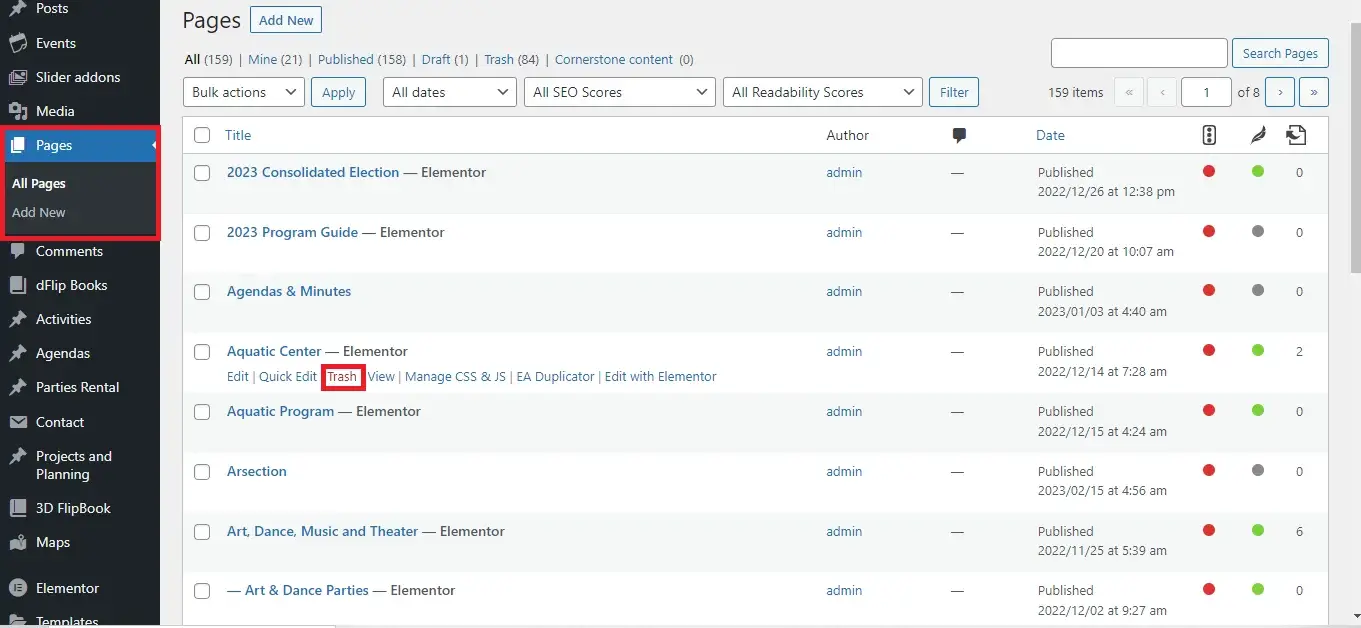
Select the Pages tab at the left side of the window > Hover over the page that you wish to delete, then click the Trash option
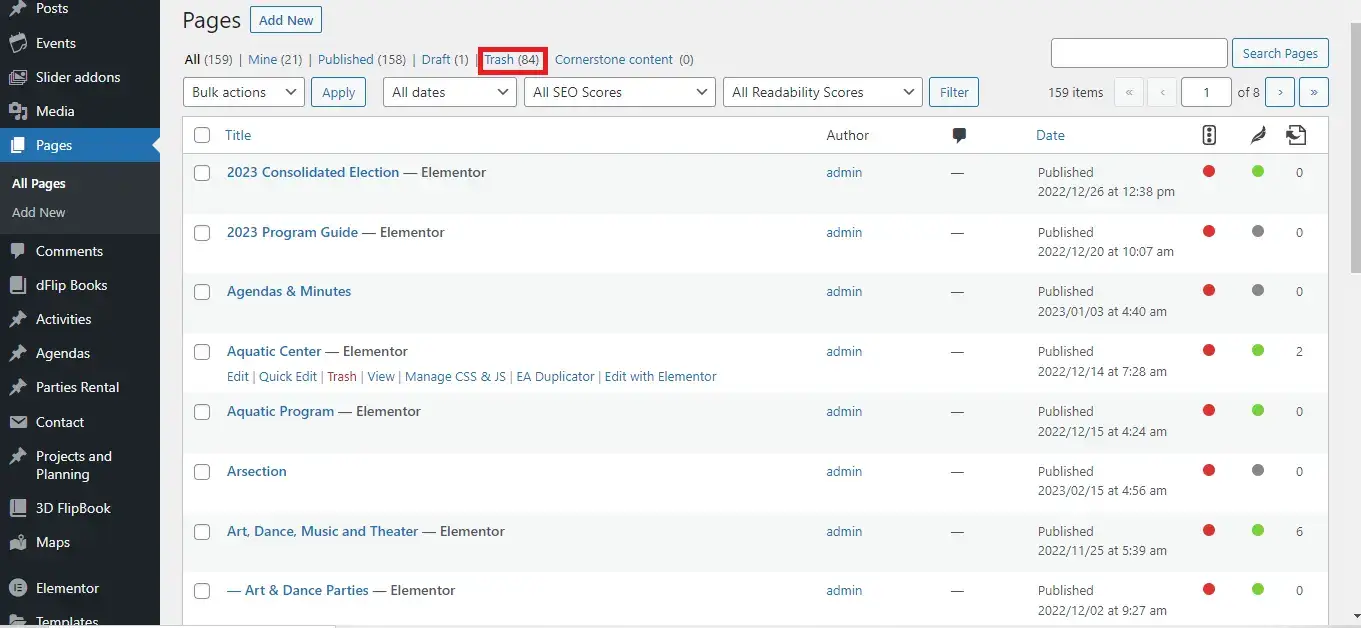
If this is the first page that you have deleted, then you will notice that there is now a Trash link above your page list.
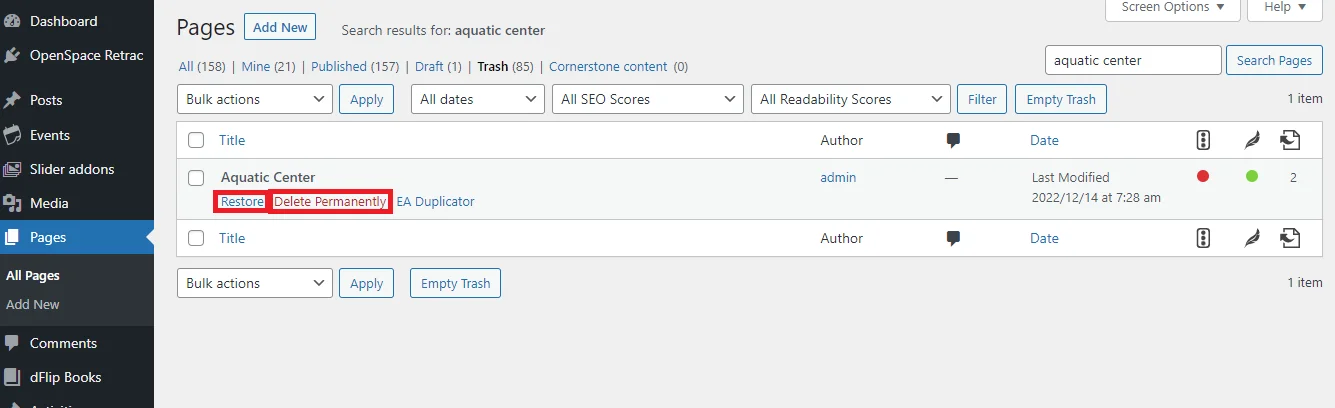
If you click that link you will see all of your trashed pages. You can restore a deleted page by hovering over that page, then selecting the Restore option.
Alternatively, you can permanently delete that page if you are certain that you won’t need it again in the future. Just click Delete permanently to remove that deleted page from the trash folder.